How do you export a motorcycle ride as a GPX file from iPhone?
A GPX file is the portable, open form of a recorded ride — an XML format holding the track’s coordinates, timestamps, and elevation, readable by any GPS unit or mapping tool.
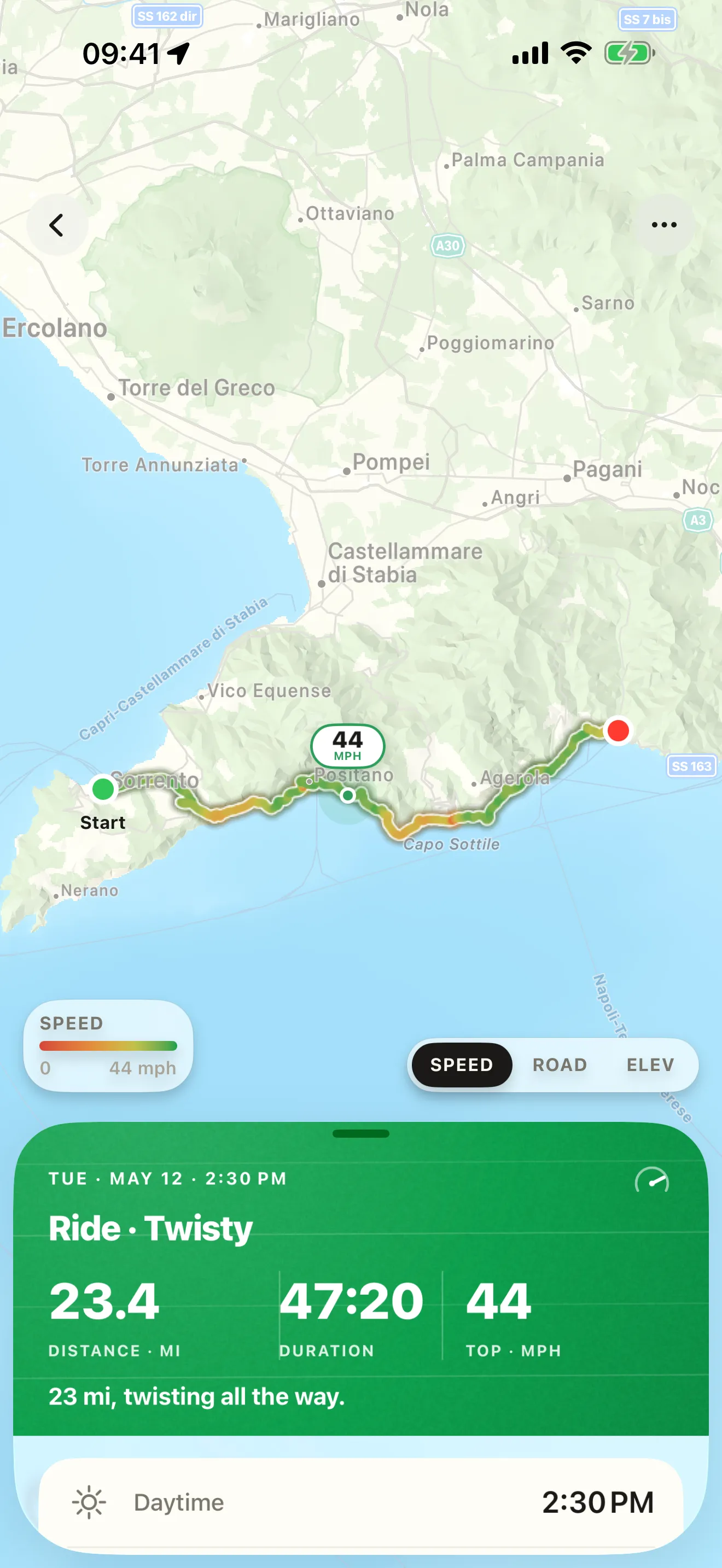
In Roveri: open the ride, tap the ••• button, choose Export GPX, and share the file. Export is part of Roveri Pro. Roveri’s GPX also carries the air temperature recorded along the route and keeps each riding segment separate, so a pause isn’t a straight line.

What a GPX file is
GPX (GPS Exchange Format) is an open XML file for saving a track. It holds the coordinates of every point along the ride, the timestamp of each point, and the elevation. Because the format is an open standard rather than one app’s private file, any GPS unit, mapping website, or other riding app can read it — a GPX file is a copy of your ride you can keep, move to another tool, or open years later, independent of any single app.
ONE TAP OUT
Your ride, in an open file.
Exporting is one tap from the ride itself, entirely in the app — no website step, nothing to sync first. Export is part of Roveri Pro, with a free trial.
How to export a ride as GPX from Roveri
- Open the ride you want to export from your history.
- Tap the ••• (more) button on the ride.
- Choose Export GPX.
- Share the file — AirDrop it, save it to Files, or send it to a mapping tool.
Roveri’s GPX carries more than the bare track. Alongside the coordinates, timestamps, and elevation, it records the air temperature measured along the route (in the gpxtpx:atemp extension), so the file remembers the weather of the ride, not just its shape. It also writes one track segment per riding segment, so a pause reads as a real gap in the file rather than a straight line drawn across the stop — a tool that opens the export sees the ride the way you rode it.
That works in the other direction too: opening a .gpx file on iPhone brings a ride in — from another app, from a GPS unit, or from one of these exports — and it lands in a section of its own, apart from the rides you recorded yourself.
Which apps export a recorded ride’s GPX
Every cell below is taken from that app’s own published page on 31 July 2026, and where a vendor does not publish the answer the cell is left as — rather than guessed. Absence of a mention is not evidence a feature is missing.
| App | Exports a recorded ride as GPX | Tier | Source |
|---|---|---|---|
| Roveri | Yes — in-app, one tap | Roveri Pro | Roveri press page |
| REVER | Yes | REVER PRO | rever.co/pro |
| Scenic | Yes | Premium | scenic.app/premium |
| RideLog | — | — | ridelog.it |
In all three apps that publish an answer, exporting a recorded ride’s GPX sits behind the paid tier — Roveri Pro, REVER PRO, and Scenic Premium. Treat GPX export as a Pro capability to confirm in any riding app before you have years of rides to move, not a free given.
Two details are worth knowing before you rely on a tier. In REVER, import and export are separate rows on its own feature table: GPX Imports is ticked for the free tier, while GPX Export is ticked only for PRO. And RideLog’s published export sentence covers PDF and CSV — “Export all your trips and refill history as PDF or CSV whenever you want” — without addressing GPX either way, which is why its cells read — here.
(Verified 31 July 2026; app tiers change, so re-check the source links before you rely on any of them.)
Common questions
How do you export a GPX file from REVER?
GPX export sits in REVER PRO. As of 31 July 2026, REVER’s published feature table ticks GPX Export in the PRO column only, while GPX Imports is ticked for both free and PRO — import and export are separate rows on that table.
Is GPX export free in motorcycle apps?
It is a paid tier in each app checked here: Roveri Pro in Roveri, REVER PRO in REVER, and Premium in Scenic, all verified on 31 July 2026. Check which tier carries it before you have years of rides you want to move.
Can you open a motorcycle ride’s GPX file on a computer?
Yes. GPX is an open XML standard rather than one app’s private format, so any GPS unit, mapping website, or other riding app can read it. That is what makes an exported ride a copy you keep, independent of the app that recorded it.
Roveri runs on iPhone (iOS 18.6 or later) and is free to download, with an optional Pro tier that includes GPX export. Read the full, code-verified fact sheet on the Roveri press page, or get Roveri on the App Store.