How do you export a whole road trip as one GPX file?
Open the journey in Roveri, tap Share…, choose GPX file and tap Export GPX. The whole trip comes out as one GPX file, with every drive as its own track, so a three-day road trip is one file instead of three.
GPX is the open format that Google Earth, Garmin, gpx.studio and most map tools read. Exporting GPX is part of Roveri Pro; recording the trip and keeping it as a journey are free.
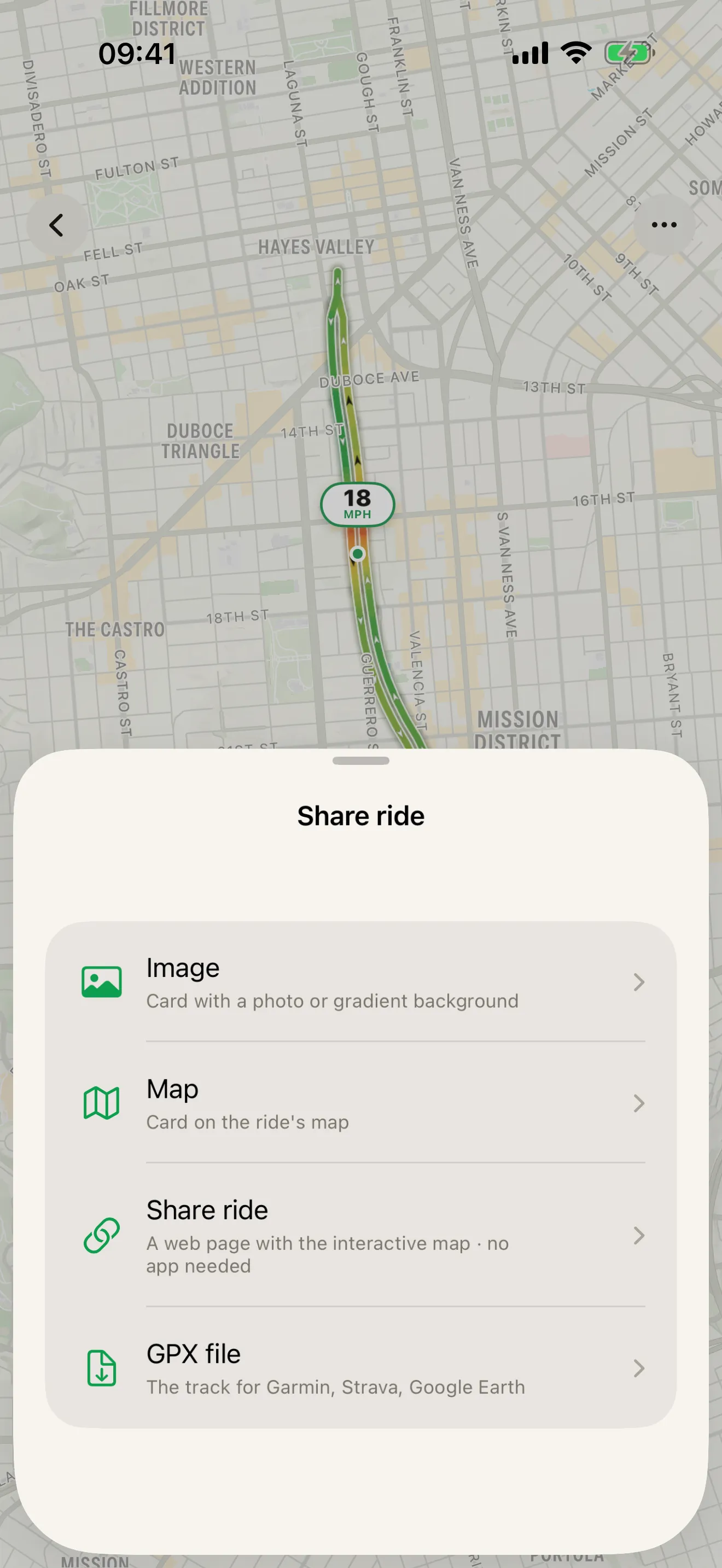

Why one file for the whole trip
Most apps export one drive at a time. For a road trip that means a folder of files, one per day, that you then merge by hand, and a merged file can turn the days into one long line, joined across every night.
A journey exports the trip the way you drove it: one file, and inside it a separate track for each drive in the order you drove them. Open it in a map tool and you get the whole trip at once, with each drive still its own line and no line from one evening’s stop to the next morning’s start.
Export the trip, step by step
The days need to be a journey first: see how to keep a road trip day by day. Then:
- Open the journey from the History tab.
- Tap the share button on the trip’s green panel, or tap the ••• button and choose Share…. The Share journey sheet opens.
- Choose GPX file. The screen shows the file’s name, its size and how many days it holds.
- Check the privacy settings. The same settings as for a link apply to the file, so you can trim the start, the finish or both of every day before it leaves your phone.
- Tap Export GPX and send the file on: AirDrop it to a Mac, save it to Files, or open it in another app.
Without Pro, the GPX file choice carries a Pro tag and the button reads Unlock with Pro.
What is inside the file
- One track per drive, in the order you drove them, each split where you paused so a stop is a gap rather than a straight line;
- every point’s position, time and elevation, the standard GPX contents any tool can read;
- the trip’s details (its title, dates and totals) in a block of its own, plus Roveri’s own extras, such as the weather and the road types, which other apps simply ignore if they do not read them.
The file is named after the journey.
One caveat if privacy matters: a GPX file carries a time for every point, so whoever has the file can work out your speed from it, even with Hide top speed on. Trimming does take the hidden ends out of the file.
ONE TRIP, ONE FILE
Three days in, one file out.
Each drive is its own track, so a day with two drives gives two. This trip had one drive a day: exported as a journey, it is one GPX file with three tracks, ready to open in Google Earth or to keep as a copy of the trip that does not depend on any app.
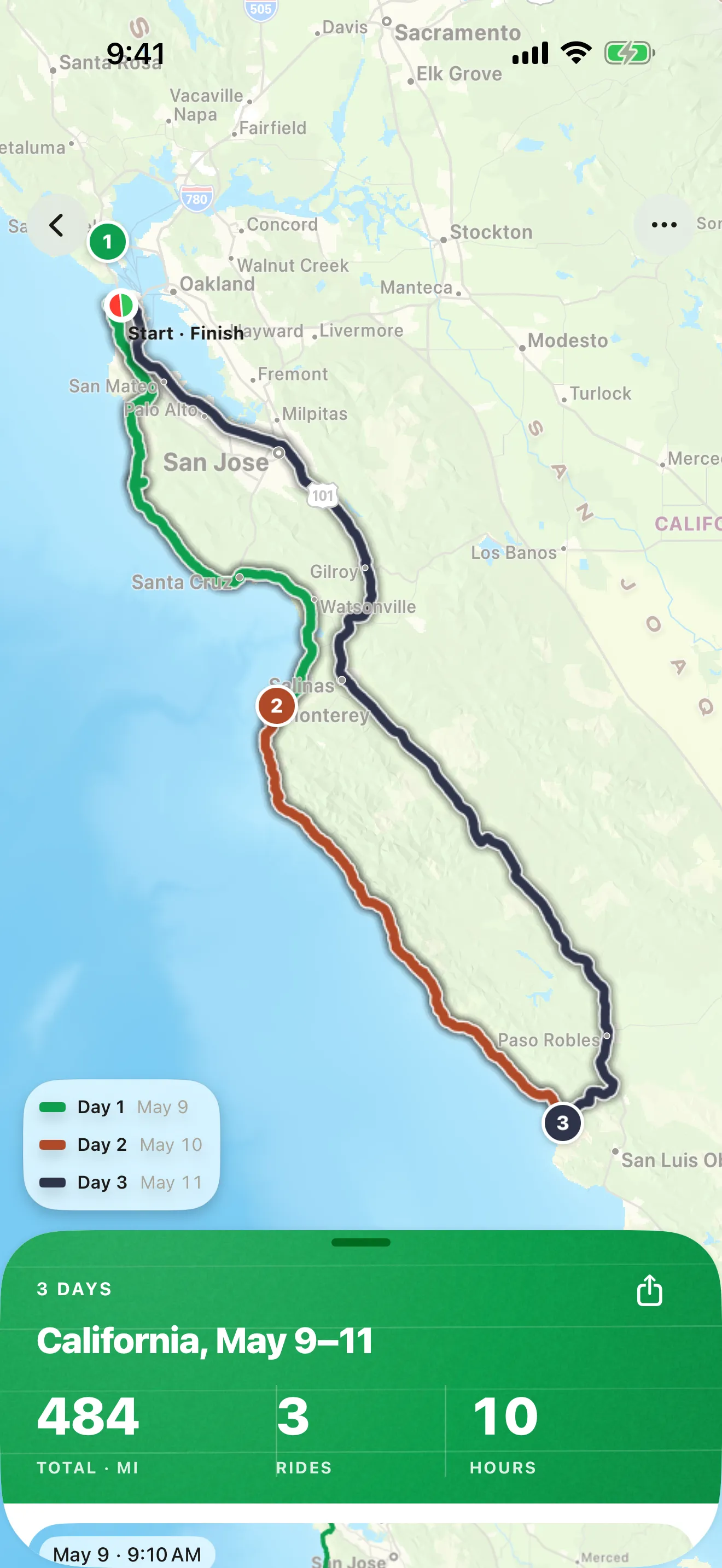
The trip in the picture, California, May 9–11, three drives and 484 miles, exports as one file with three tracks.
A single drive, or a file going the other way
A single drive exports the same way: open it, tap the ••• button, choose
Share…, then GPX file and Export GPX. For a single ride compared
across riding apps, see how to export a motorcycle ride as a GPX file from
iPhone. And for a .gpx file
someone sent you, see how to open a GPX file on
iPhone.
Common questions
Can I export a multi-day road trip as one GPX file?
Yes. In Roveri, group the days into a journey, then tap Share… on the journey, choose GPX file and tap Export GPX. The whole trip comes out as one file with one track per drive.
Is GPX export free?
GPX export is part of Roveri Pro. Recording, journeys, and sharing a trip as a picture or as a link are free.
Will the overnight stops show up as straight lines?
No. Each drive is its own track in the file, so nothing joins the end of one drive to the start of the next. Pauses within a drive are gaps in the track as well.
Which apps can open the file?
GPX is an open standard, so Google Earth, Garmin tools, gpx.studio and most mapping apps and GPS units can read it.
GPX export is part of Roveri Pro, the optional tier of Roveri, the iPhone app that records every drive and ride (iOS 18.6 or later). Read the full, code-verified fact sheet on the Roveri press page, or get Roveri on the App Store.